Terrain cutaway
Inspired by the SOFO Open3D terrain study. This schematic uses synthetic geometry. Relief doubles the height above the baseline. Show the mesh to see its edges, then watch the view tilt above the terrain.
What if Bauhaus and Constructivism had grown up with programmable light and arcade cabinets?
Baucon is a personal design system for making information, state and change legible across materials.
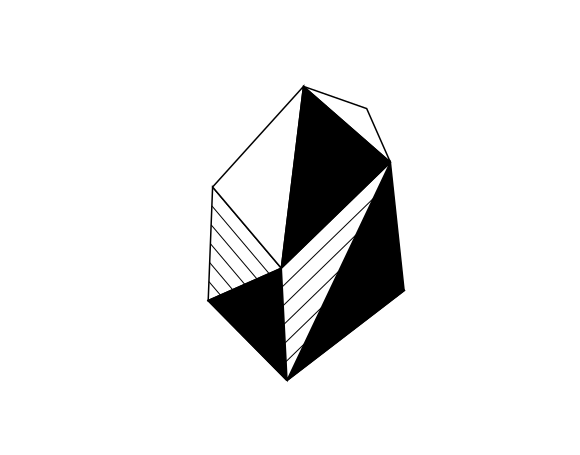
Drag to rotate. Use the arrow keys to turn and Q / E to roll. Hover a facet to read its principle. Let the timeline play to see Bautendo and Bautari each branch into two smaller forms.
00 / ACCEPTED DOCTRINE
Panda UI starts with alignment, legibility, and predictable operation. A small, playful gesture can explain a change, then return to the grid.
Put information beside the thing it describes. Use a compact control for entry, a contextual workspace for analysis, and a deeper layer for evidence and limits. Joined surfaces share one seam.
Preserve provenance, units, and timestamps. Distinguish observed, calculated, inferred, simulated, delayed, missing, and unavailable data. A live clock says nothing about feed health.
Sources: First Principles v1, Panda UI and Operational Doctrine and Operational Controls and Motion v1. The warm-paper palette is recorded as an earlier portfolio expression. This gallery uses a white canvas. New spatial studies remain proposals.
APPLIED STUDIES
Two studies adapt techniques from earlier Baucon projects. Compare what changes with what stays fixed.
Inspired by the SOFO Open3D terrain study. This schematic uses synthetic geometry. Relief doubles the height above the baseline. Show the mesh to see its edges, then watch the view tilt above the terrain.
Form follows evidence.
The phrase is visible at rest.
Adapted from the JDM reveal inspired by React Bits. A yellow field sets the stage. Sound groups appear from left to right, one word at a time, and the period scales in to end the phrase.
01 / SPACE
Separate context, evidence, and selection while keeping them tied to the same point. The offset shows reading order; it doesn’t measure altitude or certainty.
Emitted color distinguishes planes on a luminous surface.
02 / TIME
Interface time shows how a control arrives at a new state. Event time tells you when the underlying information was recorded. Keep those clocks separate.
The triangle’s flat edge pulls in 18 px, exposing an amber strip. It holds there, then returns to the dashed line. The tip stays on the dot.
ms
Ready · at rest
Move the scrubber to interrupt playback.
Open the example in a browser to inspect the motion. Its HTML source includes the tokens, styles, and playback code in one file.
| Phase | Value | Meaning |
|---|---|---|
| Anticipate | 0–120 ms | Reach 18 px inward from the final inset. |
| Hold | 120–440 ms | Make room for the incoming surface. |
| Settle | 440–560 ms | Return to the final inset, with the right edge fixed. |
| Event time | Example: 14:30 UTC | A labeled sample timestamp. Neither a pulse nor a transition certifies data freshness. |
03 / CONTROLS
Use small, reversible gestures to teach the controls. The X approaches the center on hover or keyboard focus. Its 44 px target stays put.
Synthetic record. Sample event time: 14:30 UTC. No observation was made.
Gallery fixture for reviewing disclosure and dismissal.
EXPERIMENTS
Send one signal to see how three Baucon expressions treat the same horizontal move.
The reference. Paper, ink and a single marker follow a measured route.
A new gallery interpretation of Peter Kim’s Bautendo. A compact palette and a stepped sprite turn the route into a sequence of tile moves.
The square advances in deliberate steps. On contact, its color takes over the grid one column at a time.
INTERFACE LIBRARY
See how Baucon sets a headline, labels a control, and makes state readable. Try a few everyday controls, then explore the full component library.
Form in space.
Futura, Century Gothic, Avenir, then sans serif. The hero uses a 1.00 line height and −0.025 em tracking. Adjust individual letter pairs and line gaps where needed.
Make change readable.
Use sentence case and an active phrase. Headings use a 1.04 line height and −0.015 em tracking.
Keep the timestamp close to the observation it describes.
The gallery body uses 1 rem with a 1.55 line height. Give instructions and descriptions enough room to wrap.
BUILD TIME
120 ms
Use tracked uppercase for short labels. Use tabular numerals for changing values and keep the unit visible.
Gallery treatment proposal. See the token register for font stacks and provenance.
04 / SPECIFICATION
Provenance travels with the token. The gallery uses proposals for its visual expression, a stable target contract, and timing and geometry taken from the SOFO reference.
| Family | Token | Value | Provenance | Use |
|---|---|---|---|---|
| Color | gallery-surface | #FFFFFF | Gallery direction | White canvas and receiving surface for the Xerox Plate cover |
| Color | paper | #F1EDE1 | Portfolio reference | Historical warm-paper material reference |
| Color | ink | #15130F | Portfolio reference | Text and geometric rules |
| Color | signal | #1D4C8C | Portfolio reference | Secondary geometry, editorial links, and keyboard focus |
| Color | oxide | #CF2F26 | Portfolio reference | Geometric specimen accent |
| Color | clock-live | #68cf8a | SOFO reference | Live clock mode only; does not indicate feed health |
| Type | display | Futura, "Century Gothic", Avenir, sans-serif | Portfolio reference | Display headings and body |
| Type | technical | var(--baucon-display) | Gallery proposal | Compact metadata and counters in the gallery |
| Type | body | 1rem | Gallery proposal | Reading size, scales with user settings |
| Layout | space-unit | 4px | Gallery proposal | Spacing increment |
| Layout | space-gutter | 20px | Gallery proposal | Five spacing units |
| Layout | rule | 1px | Gallery proposal | Square frame and table rule |
| Geometry | target | 44px | Accepted control contract | Primary and icon target minimum |
| Geometry | collapse-glyph | 8.4px | SOFO reference | Plus and minus horizontal extent |
| Geometry | collapse-stroke | 1.4px | SOFO reference | Collapse stroke |
| Geometry | dismiss-glyph | 12px | SOFO reference | Diagonal X stroke length |
| Geometry | dismiss-stroke | 1.5px | SOFO reference | Diagonal X stroke width |
| Depth | plane-interval | 66 | Gallery proposal | Maximum vertical interval in SVG viewBox units |
| Motion | invitation | 200ms | SOFO reference | Recenter a glyph without moving its target |
| Motion | collapse-turn | 180ms | SOFO reference | Rotate the plus/minus stroke |
| Motion | anticipation-offset | 18px | SOFO reference | Peak inward timeline offset |
| Motion | anticipate | 120ms | SOFO reference | Reach the timeline anticipation offset |
| Motion | hold-until | 440ms | SOFO reference | End of anticipation hold, measured from start |
| Motion | settle-at | 560ms | SOFO reference | End of timeline movement, measured from start |
| Motion | reduced | 0ms | Accepted control contract | Immediate final state for nonessential transitions |
| Layout | hatch-offset | 8px | Portfolio reference | Offset behind framed paper specimens |
| Layout | hatch-gap | 4px | Portfolio reference | Clear spacing between offset hatch lines |
| Track | Version | Date | Scope |
|---|---|---|---|
| First Principles | v1 | 2026-10-24 | Accepted founding direction. |
| Operational Controls & Motion | v1 | 2026-11-07 | Accepted companion; SOFO is the implemented reference. |
| Gallery & project kit | 0.1.0 | 2026-11-11 | Initial spatial and timing preview. |
| Gallery & project kit | 0.1.1 | 2026-11-11 | Doctrine and skill provenance correction. |
| Gallery & project kit | 0.1.2 | 2026-11-11 | Xerox Plate cover and prior integration inventory. |
| Gallery & project kit | 0.1.3 | 2026-11-11 | Interactive terrain and text studies. |
| Gallery & project kit | 0.1.4 | 2026-11-11 | Session design baseline and component library. |
05 / ADOPTION
Pin the kit, choose the material, and map local token roles before adding new ones. The boilerplate sets the contract; the skills guide specific work.
| Skill | When to use it |
|---|---|
| baucon-adopt | Choose the material, map tokens, and document project exceptions. |
| baucon-space-time | Compose layers, specify phases, and build a still alternative. |
| baucon-interaction-review | Review targets, focus, state, interruption, and motion preferences. |
# Baucon project instructions

Apply this block to the project’s own instructions (for example, append it to AGENTS.md). Pin the Baucon kit version and record which medium and behavior contracts you adopt.

## Design with Baucon

Read the current Baucon Design Baseline in the canonical Obsidian specification before designing. For portable projects, use DESIGN-BASELINE.md from kit 0.1.4 or later. Apply the current type, component, and motion defaults where relevant. Use gallery-specific numeric values as reference parameters.

Use Baucon as a design system for this project. Begin with the material and the task: identify where the work is read, what the user needs to know or do, and which constraints should give the expression its character. Treat Baucon First Principles v1, Panda UI and Operational Doctrine, and Operational Controls and Motion v1 as authoritative. Treat gallery colors, type, depth, and other values marked “Gallery proposal” as starting points for this project. Treat SOFO measurements as reference values unless an accepted contract says otherwise.

Use geometry to organize, identify state, or guide attention. Give spatial layers explicit roles: context, evidence, and active selection. Keep reading and focus order meaningful when the composition is flattened, and do not encode confidence or data height solely through visual elevation. Choose clear labels and a flat alternative where the depth carries information.

Separate event time from interface motion. State what is observed, inferred, modeled, delayed, or unavailable. Use one purposeful gesture at a time to show a cause, continuity, or change in state. Keep hit areas stationary, respond to repeated input, and preserve the outcome without motion. Preserve native controls and semantics, visible focus on non-text controls, caret-only focus on text and search fields, accessible names, keyboard operation, and usable touch targets. Use 44 px primary and icon targets for the operational profile. Make hover optional.

Start Panda UI with alignment, legibility, and predictable operation. Keep the context canvas fixed; put labels near their source and use joined surfaces with one seam. Provide compact controls, a contextual workspace, and a separate place for evidence and limits. Keep square frames as the paper default. Use paper and ink for map selection, use the borderless pulsing green dot for LIVE and saturated green for Reset feedback, and explain feed health separately. Keep scrollbars quiet and preserve native scrolling.

When an image calls for a print impression, use the existing Xerox Plate skill. Use flat ink on the actual receiving surface, with transparent negative space and no feathering or continuous gray wash. Keep text and controls above the plate. Treat the portfolio paper palette and hatch geometry as one documented material expression.

Map local semantic tokens to the adopted Baucon values before creating new ones. Record overrides with their reason and scope. Test narrow layouts, long labels, touch and keyboard input, reduced motion, and state interruption. Record evidence and limitations. Keep project exceptions local; propose changes to the shared system separately. Never claim adoption in another project or edit a reference implementation without a separate request.

For each reusable component or behavior, include an interactive specimen, provenance, token values, state and timing rules, reduced-motion behavior, acceptance criteria, and runnable implementation code.
| Capability | Evidence / status | How it extends Baucon |
|---|---|---|
| Xerox Plate | Documented cross-project Baucon skill, created October 29, 2026. Canonical source is archived in the Obsidian vault; the installed entrypoint matches it. | Applied to the axonometric cover. Flat ink over the actual receiving surface. Negative space stays transparent; text and controls sit above the plate. Download canonical skill ZIP ↓ |
| Open3D Python | External skill reference. The Open3D library was integrated into SOFO's Medford terrain study. | Prepared terrain meshes, levels of detail and feature edges. Cesium rendered the browser view. The Open3D geometry was bounded to Medford. |
| GSAP | Animation library used in the Ironline/JDM Baucon variation. | Drove a staggered headline reveal with a reduced-motion fallback. |
| React Bits | Pattern reference in the same JDM implementation. | Inspired the split headline reveal. The local implementation used GSAP. |
| 21st.dev | Requested as a JDM component reference. | Used to frame the exploration. Component adoption remains unverified. |
| Anthropic frontend-design | External skill considered during the October Baucon portfolio iteration. | Typography and composition guidance. Installation or application remains unverified. |
| Motion accessibility | External W3C technique; applied as a gallery practice. | Preserve results without nonessential motion, with a user-controlled still mode. |
| CSS 3D rendering | External standard; candidate technique for future prototypes. | Test perspective and true depth when they convey more than a fixed projection. This gallery uses SVG projection. |
The inventory records how each resource was used or considered. The sources include skills, implementation libraries, and design references.
INTERVIEW ROUTE / THREE MOVES